Saturday, August 4, 2012

Debug FQ Events

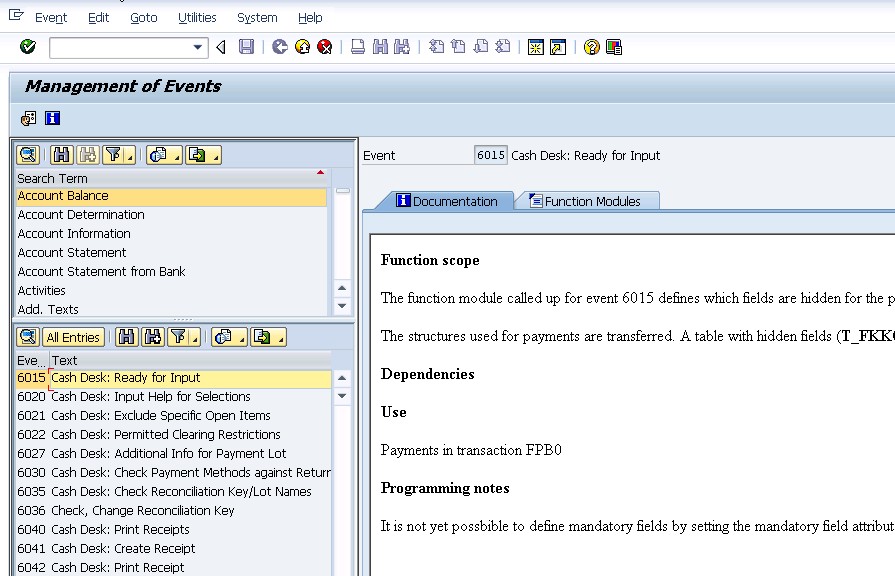
In SAP IS-U, most of the FICA and Billing related enhancements are using FQ-Events. To debug/ find out what FQ Events to use for certain transaction, use the following steps:
1. In command field, enter /h

2. When Debugger Controls Session is launched, set break point for  FM 'FKK_FUNC_MODULE_DETERMINE '.

3. Continue and Debugger will stop at FM 'FKK_FUNC_MODULE_DETERMINE '.

4. I_FBEVE is the FQ Event Number, and at the end of this FM, T_FBSTAB will contains all the FMs that will be called under this event. You can get more information of this event via command FQEVENTS.

Monday, April 16, 2012

Loans (Part 4) Event 2900

Event: 2900 Loan: Calculate Repayment Plan
Sample FM: FKK_SAMPLE_2900_NEW


The function module processed at event 2900 calculates a repayment plan for a loan on the basis of the transfer parameters.


The module creates the repayment plan in table TFKKLOAN and returns it to the calling program.
Field FAEDN of table FKKLOAN contains the due dates of the individual loan installments. This module calculates the fields INTEREST (interest amount), REPAYMENT (repayment amount), ANNUITY (Annuity = interest amount + repayment amount) for the individual due dates.


Make sure that the condition INTEREST + REPAYMENT = ANNUITY is filled for all due dates.
In addition, the total of the amounts in the field REPAYMENT must agree with the total loan (import parameter I_LOANAMOUNT).


Notes:
  1. Monthly Duration = 30 days
  2. IF interval type = monthly and the interval = 1. The formula is
    • Loan Monthly Payment Amount = [ rate + ( rate / { [ (1 + rate ) ^ months ] - 1 } ) ] * principal
    • rate = annual percentage rate / 1200   
  3. ELSE
    • Get estimate roughly by triangle hypothesis - total interest amount
    • Total Interest Amount = [ ( principal /2 ) * rate * ( duration / 360 ) ] 
    • Payment Amount per Interval = [ Total Interest Amount + Principal Amount ] / Number of Installments

Sunday, March 25, 2012

FPL9's Line Item Description (Part 3)

Sometimes if the description of the list in FPL9 is missing. May be it is due to the configuration via the following path.
The "Description in Co. Code" field is the one that displayed on FPL9 screen.


Saturday, March 24, 2012

FPL9's Line Item Description (Part 2)

CALL FUNCTION 'ISU_GET_TRANSACTION_TEXT'
EXPORTING
x_applk = p_postab-applk
x_spras = p_langu
x_bukrs = p_postab-bukrs
x_sparte = p_postab-spart
x_hvorg = p_postab-hvorg
x_tvorg = p_postab-tvorg
IMPORTING
h_votxt = p_postab-votxt.

This is how SAP get the text and display on the basic list in t-code FPL9

Friday, March 23, 2012

FPL9's Line Item Description (Part 1)

SAP get the line item description via FM 'ISU_ACC_DISP_BASIC_LIST_1205'

Program: SAPLFKL9
Include Program: LFKL9FS0
Form: SELEKTION_AUSFUEHREN_END

Then,

Program: SAPLFKL9
Include Program: LFKL9U08
Function: FKK_LINE_ITEMS_ADD_INFORMATION

Friday, March 16, 2012

Loans (Part 3)

Define Loan Categories

This IMG activity allows creation of default values for a loan category. These default values are proposed when a corresponding loan is created.

Initial Screen:
Table: TEK060T - Installment Plan and Loan Categories


Second Screen:
Table: TEK060A - Loan Categories


Installment Interval: the length of the intervals between the installments. The system determines the due dates of the installments using the start date, the installment interval, and the interval category.

Interval Type: the interval between installments. The system determines the due date for installments from the start date, the installment inervals, and the interval type. Standard Values:
1 = Days
2 = Weeks
3 = Months
4 = Every 2 Weeks

Sub-transaction for items due in return payment plan: In some application areas, this indicator determines parameters such as the interest key as well as the due dates. You cannot change the main transaction - it is determined via the internal main transaction 0085. In contrast to the installment plan where you cannot change the sub-transaction for the installments, here you can use a separate sub-transaction.

Sub-transaction for credit posting from loans: When you enter a loan repayment plan, the system automatically triggers the posting of the available credit. The sub-transaction to be used can be defaulted here.

Sub-transaction for posting receivables from loans: Once a loan repayment plan has been entered, this automatically triggers the posting of the receivable to the amount of the available credit. This receivables posting forms the basis of the loan repayment plan. The sub-transaction to be used can be defaulted here.

Thursday, February 16, 2012

Loans (Part 2) EK09

Define Specifications for Loans

This IMG activity allows you to store the document types which are proposed when a loan is created. The required document types must be created before configuring this.